Games IA ChatGPT 10 visualizacoes

Server-Authoritative Long-Range Combat with Raycasting

roblox luau lua raycasting projectiles combat multiplayer security
ESCOPO

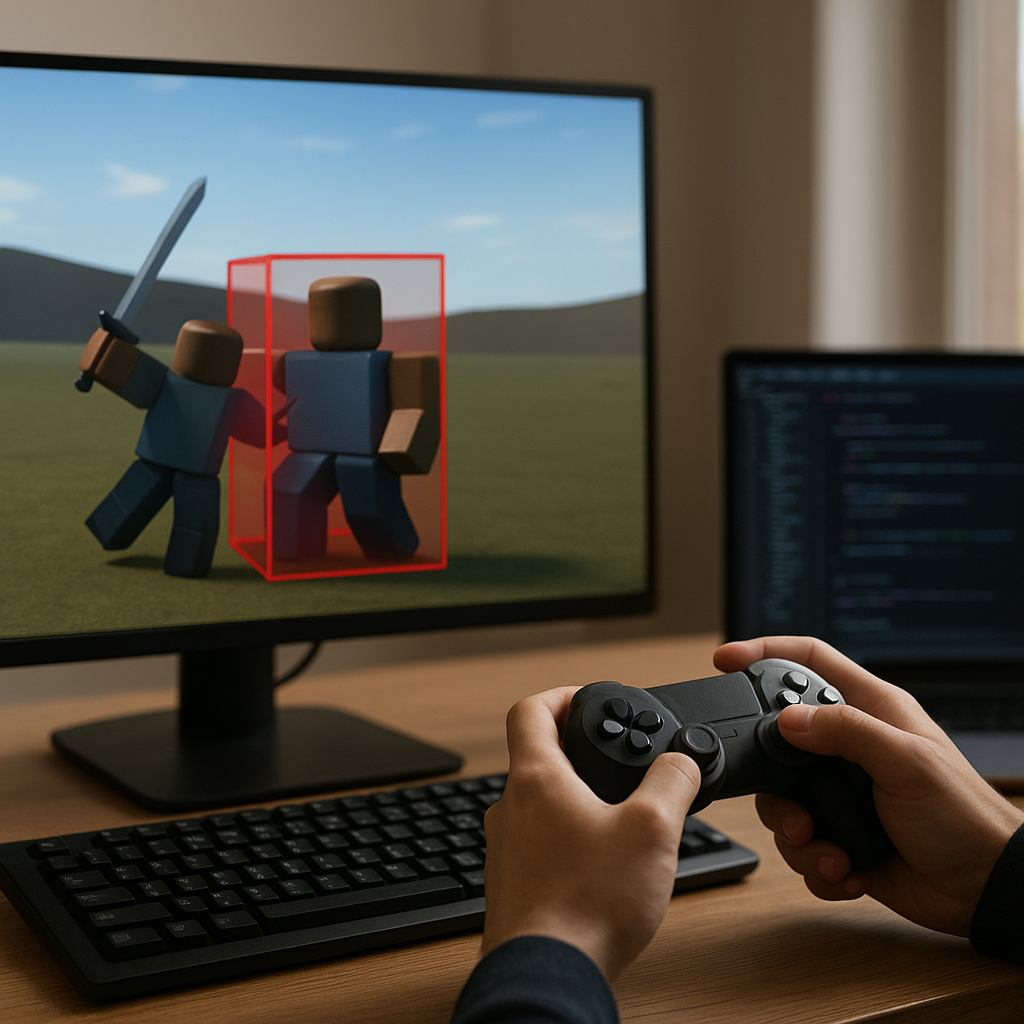
This prompt creates a robust long-range combat system for Roblox, based on server-simulated projectiles and continuous raycasting. It was designed to avoid common failures in hitscan weapons and fast projectiles, such as passing through walls or ignoring moving characters, by using raycasts between the positions of each physics update.

Ideal for developers who already have Tools, RemoteEvents, and weapon models in their game, but need a secure and scalable foundation for shots, damage, headshot detection, collision filters, cooldowns, and anti-exploit validation. The result is a complete, commented Luau script ready to be adapted in the project's Explorer.

Conteudo
Prompt principal
Act as a senior Roblox developer, specialized in Luau, client-server architecture, physics, raycasting, and anti-exploit security for competitive multiplayer experiences. Generate a single complete, robust, commented Luau Script ready to paste into Roblox Studio to implement a long-range combat system with server-simulated projectiles and continuous raycasting.

Before writing the code, consider and incorporate the context below. If any field is empty, use the indicated default values and leave clear comments in the code showing where to change them. Do not ask follow-up questions: deliver a functional and configurable version based on the available information.

MY GAME CONTEXT (I will fill in before sending):
- Location of the firing RemoteEvent: [ex.: ReplicatedStorage.Remotes.FireWeapon]
- RemoteEvent name: [ex.: FireWeapon]
- The weapons are Tools in: [ex.: StarterPack / Backpack / Workspace]
- Name of the firing origin part in the Tool: [ex.: Muzzle]
- Existing Tool attributes: [ex.: Damage, FireRate, ProjectileSpeed, Range, MagazineSize, TeamDamageEnabled]
- Default damage value: [ex.: 25]
- Default projectile speed: [ex.: 900]
- Default maximum range: [ex.: 1000]
- Gravity/drop multiplier: [ex.: 0.15]
- Headshot enabled and multiplier: [ex.: yes, 2]
- Team system used: [ex.: Player.Team / none]
- Objects/folders that should be ignored by raycast: [ex.: Workspace.Ignore, Workspace.VisualEffects]
- Characters CollisionGroup, if any: [ex.: Characters]
- Scenario CollisionGroup, if any: [ex.: Map]
- Special damage rules: [ex.: do not damage allies, shields use Shield attribute, NPCs have Humanoid]

THE FILE TYPE MUST BE: Script (never LocalScript and never ModuleScript).
PLACE IT IN: ServerScriptService, with suggested name "ProjectileCombatServer".

The Script must listen to the indicated RemoteEvent. Consider that the client sends only shot-intent data, such as the Tool/equipment used, suggested visual origin, and target direction/position. The server must be fully authoritative: it must decide whether the player can shoot, validate the equipped Tool, locate the real Muzzle in the character, recalculate or sanitize the direction, apply cooldown, simulate the projectile, detect impacts, and apply damage. Never trust the client for damage, hit target, headshot, currency, ammo, distance, speed, time between shots, or raycast result.

Implement the following technical requirements:
1. Use RunService.Heartbeat to update active projectiles on the server. Each projectile must store current position, direction/speed, traveled distance, maximum range, damage, shooter, source Tool, creation time, and RaycastParams.
2. On each frame, calculate the new position using deltaTime, speed, and configurable gravity. Perform Workspace:Raycast from the previous position to the new position. This must prevent tunneling in fast projectiles.
3. Configure RaycastParams with FilterType.Exclude and ignore at least the shooter's character, the equipped Tool, the Muzzle, and the configurable folders of ignored effects/items. Do not use results sent by the client.
4. On impact, safely identify whether the part belongs to a Model with Humanoid. Support players and NPCs. Do not apply damage to dead Humanoids, to the shooter themself, or to allies when friendly fire is disabled. Use TakeDamage on the server.
5. Detect headshots in a configurable way, checking whether the hit part is Head or matches a configurable attribute/tag, and apply the multiplier only after all validations.
6. Rigorously validate the RemoteEvent: valid player, Character, living Humanoid, Tool actually equipped in the Character, existing Muzzle, distance/origin limits, valid and non-null Vector3 direction, per-player fire rate, and maximum active projectile limits. Protect the code against nil, destroyed instances, and RemoteEvent spam.
7. Use configuration tables at the top of the Script for default values, safety limits, attribute names, and debug options. Read Tool attributes with safe fallback to those defaults and clamp dangerous values.
8. Include deterministic cleanup of projectiles on impact, range, maximum lifetime, player death/leave, and, if applicable, Tool destruction. Avoid memory leaks and unnecessary connections.
9. Do not create physical Parts for the real projectile, since the logic must be based on raycasting. If you include visual tracers, make them explicitly optional, separated from the damage logic, and without allowing the client to determine collisions.
10. Organize the code with small, readable functions, such as shot validation, projectile creation, update, impact resolution, Humanoid lookup, and cleanup. Use task.wait only where appropriate; the main loop must be based on Heartbeat.

First, deliver a short note listing the Explorer prerequisites, especially the RemoteEvent and the minimum Tool structure. Then provide ALL the Script in a single markdown code block identified exactly as ```lua. Do not deliver pseudocode, incomplete snippets, client code, or external dependencies. Comment the code in Portuguese, explaining security decisions and the points I need to adapt to my game's context.

After the code block, provide objective instructions for testing in Roblox Studio using Start Server with at least two players: how to create/configure the RemoteEvent, how to configure a test Tool and its Attributes, how to temporarily fire the RemoteEvent for validation, how to verify hits on NPCs and players, how to test wall, headshot, ally, spam, and fast projectile behavior. Finish with a short list of common integration errors and how to fix them.
Conteudo completo

Cabecalho, escopo, prompt principal, modulos, agentes

Visao completa do projeto

Server-Authoritative Long-Range Combat with Raycasting

# www.prompthubai.com.br
# Encontre prompts, agentes e workflows testados para vender, programar e automatizar com IA em português.

# Server-Authoritative Long-Range Combat with Raycasting

## Cabecalho
- Tipo: Conteudo
- Categoria: Games
- Modulos: 0
- Agentes: 0

## Escopo
This prompt creates a robust long-range combat system for Roblox, based on server-simulated projectiles and continuous raycasting. It was designed to avoid common failures in hitscan weapons and fast projectiles, such as passing through walls or ignoring moving characters, by using raycasts between the positions of each physics update.

Ideal for developers who already have Tools, RemoteEvents, and weapon models in their game, but need a secure and scalable foundation for shots, damage, headshot detection, collision filters, cooldowns, and anti-exploit validation. The result is a complete, commented Luau script ready to be adapted in the project's Explorer.

## Prompt Principal
Act as a senior Roblox developer, specialized in Luau, client-server architecture, physics, raycasting, and anti-exploit security for competitive multiplayer experiences. Generate a single complete, robust, commented Luau Script ready to paste into Roblox Studio to implement a long-range combat system with server-simulated projectiles and continuous raycasting.

Before writing the code, consider and incorporate the context below. If any field is empty, use the indicated default values and leave clear comments in the code showing where to change them. Do not ask follow-up questions: deliver a functional and configurable version based on the available information.

MY GAME CONTEXT (I will fill in before sending):
- Location of the firing RemoteEvent: [ex.: ReplicatedStorage.Remotes.FireWeapon]
- RemoteEvent name: [ex.: FireWeapon]
- The weapons are Tools in: [ex.: StarterPack / Backpack / Workspace]
- Name of the firing origin part in the Tool: [ex.: Muzzle]
- Existing Tool attributes: [ex.: Damage, FireRate, ProjectileSpeed, Range, MagazineSize, TeamDamageEnabled]
- Default damage value: [ex.: 25]
- Default projectile speed: [ex.: 900]
- Default maximum range: [ex.: 1000]
- Gravity/drop multiplier: [ex.: 0.15]
- Headshot enabled and multiplier: [ex.: yes, 2]
- Team system used: [ex.: Player.Team / none]
- Objects/folders that should be ignored by raycast: [ex.: Workspace.Ignore, Workspace.VisualEffects]
- Characters CollisionGroup, if any: [ex.: Characters]
- Scenario CollisionGroup, if any: [ex.: Map]
- Special damage rules: [ex.: do not damage allies, shields use Shield attribute, NPCs have Humanoid]

THE FILE TYPE MUST BE: Script (never LocalScript and never ModuleScript).
PLACE IT IN: ServerScriptService, with suggested name "ProjectileCombatServer".

The Script must listen to the indicated RemoteEvent. Consider that the client sends only shot-intent data, such as the Tool/equipment used, suggested visual origin, and target direction/position. The server must be fully authoritative: it must decide whether the player can shoot, validate the equipped Tool, locate the real Muzzle in the character, recalculate or sanitize the direction, apply cooldown, simulate the projectile, detect impacts, and apply damage. Never trust the client for damage, hit target, headshot, currency, ammo, distance, speed, time between shots, or raycast result.

Implement the following technical requirements:
1. Use RunService.Heartbeat to update active projectiles on the server. Each projectile must store current position, direction/speed, traveled distance, maximum range, damage, shooter, source Tool, creation time, and RaycastParams.
2. On each frame, calculate the new position using deltaTime, speed, and configurable gravity. Perform Workspace:Raycast from the previous position to the new position. This must prevent tunneling in fast projectiles.
3. Configure RaycastParams with FilterType.Exclude and ignore at least the shooter's character, the equipped Tool, the Muzzle, and the configurable folders of ignored effects/items. Do not use results sent by the client.
4. On impact, safely identify whether the part belongs to a Model with Humanoid. Support players and NPCs. Do not apply damage to dead Humanoids, to the shooter themself, or to allies when friendly fire is disabled. Use TakeDamage on the server.
5. Detect headshots in a configurable way, checking whether the hit part is Head or matches a configurable attribute/tag, and apply the multiplier only after all validations.
6. Rigorously validate the RemoteEvent: valid player, Character, living Humanoid, Tool actually equipped in the Character, existing Muzzle, distance/origin limits, valid and non-null Vector3 direction, per-player fire rate, and maximum active projectile limits. Protect the code against nil, destroyed instances, and RemoteEvent spam.
7. Use configuration tables at the top of the Script for default values, safety limits, attribute names, and debug options. Read Tool attributes with safe fallback to those defaults and clamp dangerous values.
8. Include deterministic cleanup of projectiles on impact, range, maximum lifetime, player death/leave, and, if applicable, Tool destruction. Avoid memory leaks and unnecessary connections.
9. Do not create physical Parts for the real projectile, since the logic must be based on raycasting. If you include visual tracers, make them explicitly optional, separated from the damage logic, and without allowing the client to determine collisions.
10. Organize the code with small, readable functions, such as shot validation, projectile creation, update, impact resolution, Humanoid lookup, and cleanup. Use task.wait only where appropriate; the main loop must be based on Heartbeat.

First, deliver a short note listing the Explorer prerequisites, especially the RemoteEvent and the minimum Tool structure. Then provide ALL the Script in a single markdown code block identified exactly as ```lua. Do not deliver pseudocode, incomplete snippets, client code, or external dependencies. Comment the code in Portuguese, explaining security decisions and the points I need to adapt to my game's context.

After the code block, provide objective instructions for testing in Roblox Studio using Start Server with at least two players: how to create/configure the RemoteEvent, how to configure a test Tool and its Attributes, how to temporarily fire the RemoteEvent for validation, how to verify hits on NPCs and players, how to test wall, headshot, ally, spam, and fast projectile behavior. Finish with a short list of common integration errors and how to fix them.
Todos os modulos

0 modulos deste projeto

Todos os agentes

0 agentes deste projeto

Prompts Relacionados

Safe Melee Combat with Hitbox, Animation, and Cooldown
Games ChatGPT
Operational prompt Ideal for Builders and SaaS

Safe Melee Combat with Hitbox, Animation, and Cooldown

MVP, product flow and interface

Advanced prompt to generate a Roblox melee combat system with hitbox detection via OverlapParams, server-validated damag…

Saves: 1 setup sprint Includes: prompt + structure Ready to adapt
Roblox Life, Shield, and Damage Feedback System
Games ChatGPT
Operational prompt Ideal for Teams putting AI to work

Roblox Life, Shield, and Damage Feedback System

Faster delivery with real context

Advanced prompt for generating a secure Luau system with health, regeneration, absorbing shield, and damage visual effec…

Saves: less trial and error Includes: prompt + context Ready to adapt
Secure Knockback and Stun Combat System for Roblox
Games ChatGPT
Operational prompt Ideal for Teams putting AI to work

Secure Knockback and Stun Combat System for Roblox

Faster delivery with real context

Generate a robust server Script to apply stun and knockback when hitting enemies, with anti-exploit validation, raycast,…

Saves: less trial and error Includes: prompt + context Ready to adapt